In the Inspect AI vs DeepEval choice, pick DeepEval if you are testing your own LLM application and want pass or fail checks in CI, written like unit tests. Pick Inspect AI if you are evaluating models or agents themselves: running benchmarks, putting an agent in a sandbox with real tools, or repeating runs to get error bars. Both are free, open source Python frameworks, so the real question is what sits at the center of your test: your app's output, or the model's behavior.
That difference shapes everything else. DeepEval starts from a test case your application already produced and asks metrics (mostly LLM judges) to score it. Inspect starts from a dataset, has a solver make the model or agent produce the answer inside the eval, and then scores it. This guide compares the two as of October 27, 2026, using each project's own documentation and release data.
Inspect AI vs DeepEval at a glance
| Item | Inspect AI | DeepEval |
|---|---|---|
| Who builds it | UK AI Security Institute and Meridian Labs | Confident AI |
| License | MIT (GitHub) | Apache 2.0 (GitHub) |
| Latest version (Oct 27, 2026) | 0.3.285 on PyPI, released Oct 25 | 4.3.2 on PyPI |
| Languages | Python 3.11 or newer | Python 3.9 or newer, plus a TypeScript package for Vitest |
| Core unit | A Task: dataset, solver, scorer | A test case plus metrics |
| Who produces the output | The eval itself, through a solver or agent | Usually your app, before or during the test |
| Scoring | Text match, multiple choice, model grading, math, custom scorers | 50+ metrics, almost all LLM as a judge |
| Agents | Built in ReAct agent, tools, MCP, sandboxes | Trace your agent, then score the trajectory or single spans |
| Ready made evals | 200+ benchmark implementations | A handful of classic benchmarks (MMLU, GSM8K, HumanEval and others) |
| Results viewer | Inspect View and a VS Code extension | deepeval view, optional Confident AI cloud |
| GitHub stars (Oct 27) | About 3,100 | About 19,100 |
In short: Inspect is a research harness that happens to work for products. DeepEval is a product testing library that happens to run a few benchmarks.
What is Inspect AI?
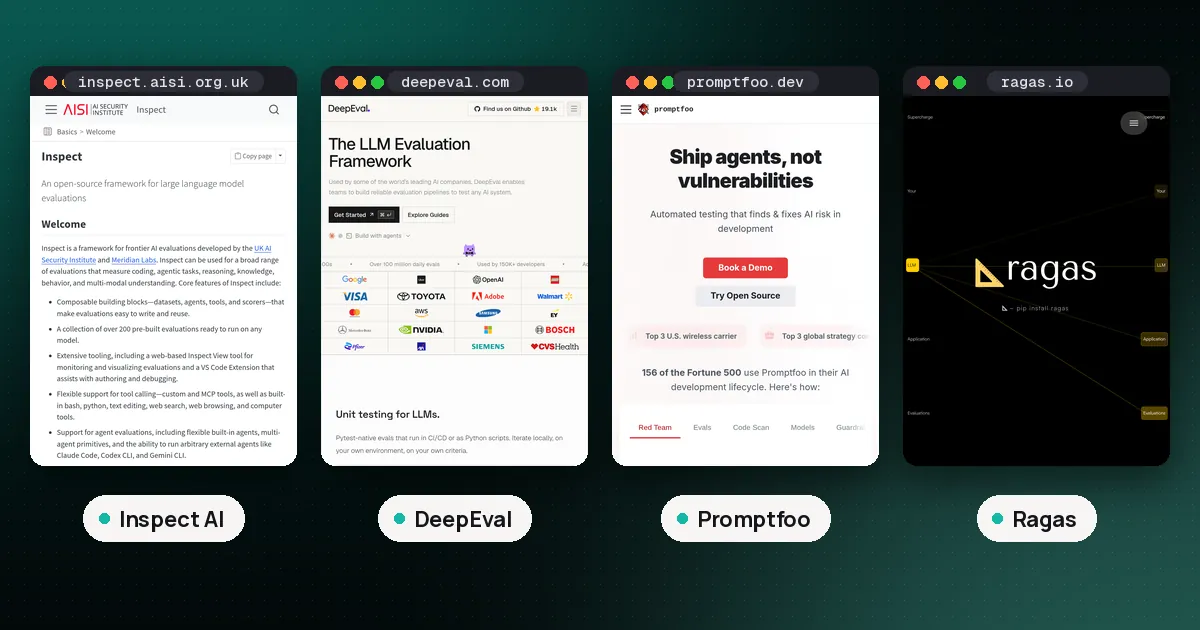
Inspect is a framework for "frontier AI evaluations" developed by the UK AI Security Institute and Meridian Labs, according to its documentation. The institute first released it in May 2024. You install it with pip install inspect-ai.
Every evaluation is a Task made of three parts:
- Dataset: labelled samples, usually an
input(the prompt) and atarget(the ideal answer or grading guidance). It reads CSV, JSON, Hugging Face datasets or in memory lists. - Solver: whatever produces the answer. That can be a single
generate()call or a full agent that uses tools over many turns. - Scorer: how the answer is judged, from exact text matching to
model_graded_qa(), where another model grades free text answers.
You run it from the command line, for example inspect eval simpleqa.py --model openai/gpt-5, and open the results with inspect view. Inspect supports more than 20 model providers plus local inference with Hugging Face, vLLM and SGLang, so switching the model under test is one flag.
Where Inspect stands apart is agent work. It ships built in bash, Python, text editing, web search, web browsing and computer tools, supports MCP tools, and runs untrusted model code in Docker, Kubernetes, Modal, Proxmox or Vagrant sandboxes. It can also run outside agents such as Claude Code, Codex CLI and Gemini CLI inside those sandboxes, or bridge in agents built with the OpenAI Agents SDK, LangChain or Pydantic AI.
The companion library, Inspect Evals, holds the ready to run benchmarks: MMLU, GPQA, Humanity's Last Exam, SWE-Lancer, Cybench, AgentDojo, StrongREJECT and many more. It is now maintained by Generality Labs, a London nonprofit, with past contributions from the UK AI Security Institute, Arcadia Impact and the Vector Institute.
What is DeepEval?
DeepEval calls itself "the LLM evaluation framework". You install it with pip install -U deepeval (or npm install --save-dev deepeval for TypeScript). It plugs into pytest, so deepeval test run test_example.py collects and runs eval files the way pytest would, and in TypeScript it plugs into Vitest the same way (quickstart).
A test looks like a unit test. You build an LLMTestCase with the input, the actual_output your app returned and, optionally, an expected_output or retrieval context. You attach metrics and call assert_test(). Every metric returns a score from 0 to 1 with a written reason, and passes only if it reaches its threshold, which defaults to 0.5 (metrics docs).
The metric library is the main draw. DeepEval lists 50+ ready made metrics grouped by use case:
- Agents: task completion, step efficiency, plan adherence and plan quality on the full trajectory, plus tool correctness and argument correctness for single tool calls.
- RAG: contextual relevancy, precision and recall for the retriever; answer relevancy and faithfulness for the generator.
- Chatbots: knowledge retention, role adherence, conversation completeness and relevancy.
- Safety: bias, toxicity, PII leakage, misuse and others.
- Custom: G-Eval (criteria in plain language), DAG (a decision tree that can give deterministic scores) and your own code.
For agents, DeepEval traces your code with an @observe decorator or a ready made integration (LangChain, LangGraph, OpenAI Agents, Pydantic AI, CrewAI, Google ADK and others), then scores the whole trace or individual spans. Results stay local unless you run deepeval login, which sends test runs and traces to Confident AI, the company's hosted platform.
One newer option: DeepEval now offers "eval modes". The default llm mode uses an LLM judge. The hybrid and system_one modes hand some or all decisions to Jev, a model from TypeSafe AI that returns calibrated probabilities instead of generated text, and need a separate TypeSafe API key. Treat that as an option to test, not a default.
The real difference: who runs the model
This is the part most comparisons skip, and it decides the choice for most teams.
In DeepEval, the system under test is usually outside the framework. Your app answers a question, you hand DeepEval the answer, and a judge model scores it. That fits a product team: the thing you care about is your prompt, your retriever and your agent code, and you want a red build when a change makes answers worse.
In Inspect, the system under test runs inside the eval. The solver calls the model, the agent uses tools inside a sandbox, and the scorer checks the final state. That fits anyone who needs control over the run itself: the same prompt template for every model, a fixed number of attempts, limits on time, tokens or cost, and repeated epochs per sample.
You can bend either tool toward the other. DeepEval has a benchmarks module, and Inspect can bridge your own agent code in. But each is clearly happier on its home ground.
Scoring and statistics
DeepEval's strength is breadth of judged metrics. If you need faithfulness against retrieved context or role adherence across a conversation, it is already written, and every score arrives with a reason you can read in a failed test. The tradeoff is that almost every score depends on a judge model. DeepEval's docs suggest keeping to five metrics or fewer, and it lets you mark noisy metrics as flaky so they are tracked but do not fail a test. Our LLM as a judge guide covers how to check that a judge agrees with people before you trust it.
Inspect leans the other way. Many of its scorers are deterministic (exact match, includes, multiple choice, math), and model grading is one option among several, with support for multiple grader models voting. Most scorers report accuracy with a standard error by default. You can run several epochs per sample and reduce them with a mean or pass_at_k, compute clustered standard errors by a metadata field, or report a Wilson confidence interval for binary scores. If you are comparing two models and need to know whether a gap is real, that is the toolkit you want; see how to evaluate LLM model performance for why error bars matter.
Agents, tools and sandboxes
Both frameworks take agents seriously, from opposite directions.
DeepEval evaluates the agent you already have. Trace it, then score whether it finished the task, whether it wasted steps, and whether each tool call picked the right tool with the right arguments. Nothing runs in a sandbox; your agent runs wherever it normally runs.
Inspect builds the test room around the agent. A capture the flag task, for example, gives the built in react() agent a bash() tool inside a Docker container and scores whether the hidden flag appears in its answer. Inspect also supports tool call approval policies, so a human or a rule can block risky actions during a run. For safety and capability testing, where the agent may run code you would not let near your laptop, that isolation is the point.
Developer experience and CI
DeepEval feels familiar to any Python or TypeScript developer who writes tests. Test files live in your repo, deepeval test run exits with a failure code when a metric misses its threshold, and runs are cached locally, so it drops into an existing CI pipeline with little new tooling. The -i and -c flags ignore errors and reuse cached results when a judge returns bad JSON.
Inspect feels like a lab notebook. Each run writes a log file (the compact .eval format is typically about one eighth the size of JSON), and Inspect View lets you click through every sample, message and tool call. Eval sets, retries after crashes, early stopping, and caching of model output help with long or expensive runs. You can gate CI on Inspect results too, but you write that glue yourself.
One naming trap: DeepEval has a command called deepeval inspect, which opens a terminal viewer for your last DeepEval run. It has nothing to do with Inspect AI.
Inspect AI vs DeepEval: which should you use?
Choose DeepEval if:
- You are shipping a chatbot, RAG app or agent and want regression tests in CI.
- You need ready made judged metrics such as faithfulness, answer relevancy or task completion.
- Your team writes TypeScript as well as Python.
- You may want a hosted dashboard later (Confident AI), but want to start locally for free.
Choose Inspect AI if:
- You compare models or checkpoints and need the same harness, prompts and limits for each.
- You run agents that execute code and must be isolated in a sandbox.
- You want established benchmarks (GPQA, Humanity's Last Exam, Cybench and others) without writing them yourself.
- You need epochs, clustered standard errors or confidence intervals in the report.
Use both if you own a product and also pick its model. Run Inspect when choosing or upgrading the model, then keep DeepEval tests in CI so your app does not regress after the switch. Many teams end up there.
Consider a third tool if you want YAML configs and a CLI instead of Python: Promptfoo is the usual pick. For RAG only, Ragas is lighter. For model benchmarking at scale with log likelihood scoring, lm-evaluation-harness is the reference; our MMLU benchmark guide shows how its numbers differ from Inspect's. For attack style testing, DeepEval's sister project DeepTeam and the tools in our LLM red teaming guide go further than either framework's safety metrics.
For the wider field, see our best LLM evaluation frameworks roundup, our OpenAI Evals vs DeepEval comparison, and how to evaluate LLM applications for building the test set either tool will need.
FAQ
Is Inspect AI better than DeepEval?
Neither is better overall. Inspect is stronger for model and agent evaluations that need sandboxes, repeated runs and statistics. DeepEval is stronger for testing your own app in CI with ready made judged metrics. Pick by what you are testing.
Are Inspect AI and DeepEval free?
Yes. Inspect is MIT licensed and DeepEval is Apache 2.0 licensed, and both run locally. You still pay your model provider for the calls the eval makes, including judge calls. DeepEval's hosted Confident AI platform is optional; check its pricing page if you plan to use it.
Can DeepEval run benchmarks like MMLU?
Yes, a few. DeepEval's benchmarks module includes MMLU, HellaSwag, BIG-Bench Hard, DROP, TruthfulQA, HumanEval and GSM8K, and you wrap your model in its DeepEvalBaseLLM class to run them. Inspect Evals covers far more benchmarks, including newer agent and safety suites.
Does Inspect AI work for RAG apps?
It can, but you write more yourself. You would wrap your pipeline as a solver and choose or write scorers. DeepEval and Ragas ship RAG metrics such as faithfulness and contextual recall ready to use; see our RAG evaluation metrics guide.
Who maintains Inspect AI?
The framework's documentation credits the UK AI Security Institute and Meridian Labs. The separate Inspect Evals benchmark library is maintained by Generality Labs, a London nonprofit.
Is deepeval inspect the same as Inspect AI?
No. deepeval inspect is a DeepEval command that opens a terminal view of a saved DeepEval run, with trajectory scores, span scores and metric reasons. Inspect AI is a separate framework with its own inspect command line tool.