How to detect AI writing comes down to stacking evidence, because no single test is reliable on its own. Read the text for the patterns chatbots repeat, check whether its facts and sources hold up, run it through two detectors, then look at how the document was made (drafts and version history) and talk to the writer. A detector score is one clue among several. It should never be the whole case.
Research shows heavy chatbot users can spot AI text with striking accuracy, while people who rarely use them do about as well as a coin flip. Detectors catch most plain AI text but still make mistakes, especially on writers whose English is a second language. Below is each step and what the evidence says about it.
How to detect AI writing in six steps
| Step | What you do | What it catches | Main risk |
|---|---|---|---|
| 1. Read for patterns | Look for stock vocabulary, sentence templates and puffed up significance | Lightly edited chatbot output | Your own bias; humans use these words too |
| 2. Check facts and sources | Open the links, look up the quotes, confirm names and dates | Invented citations and quotes | Takes time |
| 3. Run two detectors | Paste the same text into two different tools | Unedited and lightly edited AI text | False positives, especially on nonnative English |
| 4. Look at the process | Version history, drafts, notes, writing replay | Text pasted in one block | Some honest writers draft elsewhere |
| 5. Compare with known work | Earlier writing by the same person | Sudden shifts in voice or skill | People improve, and editors change text |
| 6. Talk to the writer | Ask them to explain choices and sources | Whether they understand their own text | Must be fair and private |
Use as many steps as the stakes call for. A blog editor screening a pitch might stop after step 3. A teacher considering a misconduct report should do all six.
Step 1: Read for AI writing patterns
The best public field guide to the patterns is the Wikipedia project page Signs of AI writing, which editors maintain with real examples taken from AI generated drafts. When people search for how to detect AI writing on the wiki, this is the page they mean. Its core point is that chatbots regress toward the most statistically common way to say something, so specific facts get smoothed into generic, positive statements that could describe almost anything.
Patterns that show up again and again:
- Puffed up significance. A small fact gets framed as marking a shift, playing a crucial role, or reflecting broader trends. The Wikipedia page lists phrases such as "a crucial role", "underscores its importance" and "setting the stage for".
- Clusters of AI vocabulary. Words like crucial, intricate, fostering, enhance, showcase, underscore (as a verb) and align with. One of them means little. Many of them in one short passage is a strong signal, according to the page.
- Sentence templates. Lists of exactly three items, sentences that deny one thing in order to assert another, and paragraphs of near identical length.
- Formatting habits. Bold headers on every bullet followed by a colon, title case headings, heavy boldface, and tables where prose would do.
- Tidy, upbeat endings. A closing paragraph that summarizes everything and ends on a hopeful note about future challenges and opportunities.
- Hedging about sources. Lines such as "while specific details are limited" or warnings that a claim "should be treated as" something rather than something else. The Wikipedia page notes this second style became common in chatbot output from mid 2026.
Two cautions. The word lists drift: the Wikipedia page tracks how favorite words changed from GPT-4 to GPT-4o and then GPT-5, so a 2023 giveaway can be rare in 2026 output. And plenty of humans write this way, especially in corporate and academic prose. Treat patterns as a reason to look closer, never as proof.
How to detect AI writing manually, and who is good at it
A 2025 study by Jenna Russell, Marzena Karpinska and Mohit Iyyer (arXiv:2501.15654) asked people to label 300 nonfiction articles as human or AI. Annotators who rarely used chatbots for writing averaged a true positive rate of 56.7 percent and a false positive rate of 51.7 percent on the first batch, which is close to guessing, yet they rated their confidence at about 4 out of 5. Five annotators who used chatbots often for editing and writing did far better: on that batch they caught 92.7 percent of AI articles on average while wrongly flagging about 4 percent of human ones.
A majority vote of those five experts misclassified only 1 of the 300 articles, even when the AI text had been paraphrased or deliberately "humanized". The experts leaned most on vocabulary (mentioned in 53.1 percent of explanations), then sentence structure, grammar and originality. They also knew AI text is usually grammatically clean while human writing has small slips; nonexperts assumed the opposite and flagged any neutral tone, which produced many false alarms. So manual detection works best when the reader uses chatbots a lot and compares notes with a second reader. If you rarely use AI tools, lean harder on steps 2 to 6.
Step 2: Check the facts, quotes and citations
Chatbots still produce confident details that do not exist. The Wikipedia guide lists citation problems such as broken links, invalid DOIs and ISBNs, DOIs that lead to unrelated papers, and book citations without page numbers. The expert annotators in the Russell study also flagged quotes that sounded too formal or too similar to the surrounding text, and invented people with stock names and titles.
A quick routine:
- Open three or four cited links and confirm each one says what the text claims.
- Search any direct quote in quotation marks. A real quote usually appears in the original source.
- Check one or two named people, studies or products. Do they exist, with the stated role or result?
- Note dates and numbers that seem oddly round or that you cannot find anywhere.
A fabricated citation is the strongest single piece of evidence you can find, because anyone can verify it, and it is a problem whether or not AI wrote the text.
Step 3: Run the text through two detectors
AI detectors are classifiers that estimate how likely it is that text came from a model. Our explainer what is AI detection covers the methods. The point here is how to use them well.
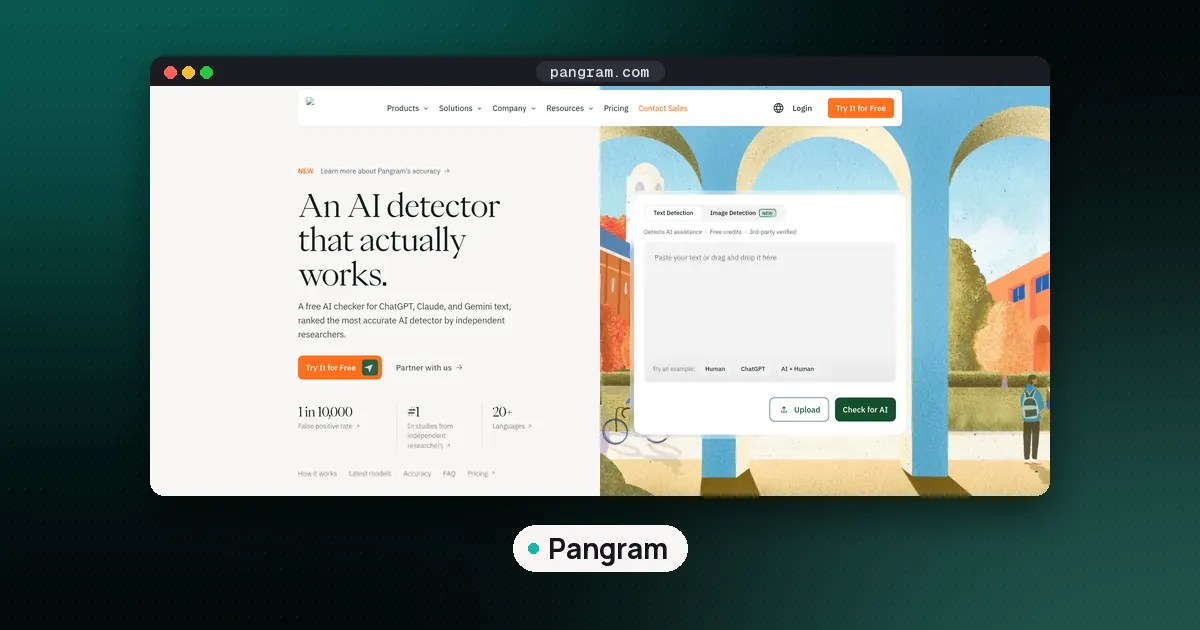
- Use two tools, not one. If Pangram and GPTZero agree, you have a firmer signal. If they disagree, treat the result as inconclusive.
- Paste clean text. Remove headers, citations and quoted material that the writer did not compose. Very short passages give unstable scores.
- Read the highlighting, not just the number. Most tools mark the sentences that drove the score. Check whether those sentences match what you saw in step 1.
How good are they? In the Russell study, Pangram matched the expert human majority vote, while open source detectors such as Binoculars and Fast-DetectGPT dropped sharply on paraphrased and humanized text. GPTZero caught 85.3 percent of AI articles overall with a 0.7 percent false positive rate, but missed more of the o1-Pro articles. Those results come from early 2025 models and tool versions, so treat them as a guide to how tools behave, not as a current ranking. For current benchmark scores, see our guide to the RAID benchmark, the largest shared test of text detectors, and our roundup are AI detectors accurate.
How to detect AI writing for free
You do not need to pay to follow this method. GPTZero's free plan covers 10,000 words a month without a credit card (GPTZero pricing explained). Pangram also offers a free plan with a daily word allowance, and Originality.ai gives a one time block of free credits. Limits change often, so check our best free AI detector roundup for the current allowances before you rely on one.
Detect AI writing with Grammarly
Grammarly runs a free AI detector: paste text or upload a document, click Scan for AI, and it shows the share of text that appears AI generated. Paid Pro users get an agent that highlights the passages behind the score. Grammarly claims the tool ranks first on RAID, which is a vendor claim worth checking against the live leaderboard, and its own page says no detector is 100 percent accurate. Its Authorship feature, which labels text as typed, pasted or AI while someone writes, is closer to the process evidence in step 4.
The false positive problem
A Stanford study (Liang et al., arXiv:2304.02819) ran seven early detectors on 91 TOEFL essays written by nonnative English speakers and 88 essays by US eighth graders. The detectors were near perfect on the US essays but flagged the TOEFL essays as AI generated 61.22 percent of the time on average, and 89 of the 91 were flagged by at least one detector. Those essays had lower perplexity: simpler, more predictable word choices. Those detectors were 2023 versions and newer tools do better on plain human text, but the mechanism still matters. Writers with a plain or formulaic style are the ones most likely to be wrongly flagged, so a high score on their work needs extra support from other steps.
Step 4: Look at how the document was made
Process evidence often settles questions that the text alone cannot. In Google Docs, anyone with edit permission can click Last edit at the top right to open version history and see earlier versions and who changed what (Google Docs Help). A document that grew over several sessions, with rewrites and deletions, looks very different from one where a finished essay appeared in a single paste.
Other process sources:
- Writing replay tools. GPTZero offers Writing Replay for Google Docs, and Originality.ai has a writing replay in its browser extension, as covered in our Originality.ai vs GPTZero comparison.
- Drafts and notes. Outlines, research notes, earlier submissions and saved files with timestamps.
- LMS submission data. Your school's Turnitin report shows an AI writing indicator if your institution licenses it, alongside the similarity report.
Keep two caveats in mind. Some people write in a separate app and paste the final text, which looks like a single paste even when it is honest. And a file owner can delete version history in Google Docs, so a missing history is not proof of anything either.
Step 5: Compare with the writer's known work
If you have earlier writing from the same person, put it next to the new piece and look for sudden changes in vocabulary, sentence length and the kinds of mistakes they usually make.
People improve, get help from tutors and write differently under time pressure, so a shift in style is a question, not a finding.
Step 6: Talk to the writer
A short, private conversation is often the most informative step. Ask the writer to walk you through their argument, explain why they chose a particular source, define a term they used, or expand on one paragraph without notes. Someone who wrote the piece can usually do this easily. Someone who pasted it often cannot explain choices they did not make.
Frame it as a normal check, not an accusation, and give them a chance to show drafts or history. If your institution or company has an AI use policy, follow its process and record what you looked at. Our guide are AI detectors accurate has advice for both reviewers and writers who have been flagged.
Common mistakes when detecting AI writing
- Trusting one score. Wikipedia's own guidance tells editors not to rely solely on detectors such as GPTZero and Pangram, because their error rates are not trivial and paraphrasing can fool them.
- Ignoring who wrote it. Nonnative English writers and people with a formulaic style face higher false positive risk.
- Skipping the conversation. Text analysis can raise a question. Only process evidence and a conversation can usually answer it.
FAQ
What is the most reliable way to detect AI writing?
Combine several kinds of evidence: patterns in the text, fact and citation checks, two detector results, version history or drafts, and a conversation with the writer. In the 2025 Russell study, a majority vote of five experienced chatbot users misclassified only 1 of 300 articles, and the best commercial detector matched them. No single method is reliable enough to decide a high stakes case on its own.
How can I detect AI writing manually?
Read for clusters of stock vocabulary, puffed up significance, lists of three, bold headed bullets and tidy upbeat conclusions, then check whether the facts and quotes are real. The Wikipedia page Signs of AI writing is the most detailed free guide. Manual reading works best if you use chatbots often yourself, since research found infrequent users did about as well as chance.
Can I detect AI writing for free?
Yes. GPTZero's free plan allows 10,000 words a month, Grammarly's AI detector is free to use, and Pangram and Originality.ai offer free allowances. Fact checking, version history and talking to the writer cost nothing at all.
Does Grammarly detect AI writing?
Grammarly has a free AI detector that returns the percentage of text that appears AI generated, and a paid agent that highlights the passages behind the score. Grammarly itself says no detector is 100 percent accurate and that results should not be the only basis for a decision.
Why was human writing flagged as AI?
Detectors look for predictable word choices and structure, so plain, formulaic or heavily edited human prose can score high. A Stanford study found early detectors flagged 61.22 percent of TOEFL essays by nonnative English speakers as AI generated, while getting US eighth grade essays almost all right.